


Gesture-based controls are something that certain manufacturers have made noise about for a while now and continue to do so, as demonstrated by some of the features of the much anticipated Moto X.Independent developers have also been making the most of the possibilities presented by the proximity sensors and accelerometers in nearly all modern devices. There are any number of reasons why you might want to be able to access a certain function of your device without actually touching it, and thanks to applications such as Air Swiper by XDA Forum Memberhelmanss, you can.
The app, as the name suggests, allows you to perform certain actions by simply swiping (or hovering) your hand above the proximity sensor of your device. Never again will you have to wipe the bacon grease from your grubby digits to check that important text message. The application currently allows you to perform functions such as locking or unlocking the device, switching between ringer, vibrate, and silent modes, toggling WiFi and Bluetooth and, as previously mentioned, opening the SMS application. This is all accessible with just a simple gesture.
The application was recently updated to fix a number of bugs that were discovered after feedback on the initial version, and also to fine tune some of the required gestures. The app does seem to have mixed results for different devices and ROMs. However. this is one definitely worth trying. While you’re at it, be sure to offer some feedback to the developer. Compatible with Android 4.0 and above, Air Swiper can be found in the application thread.
Link to application: https://play.google.com/store/apps/d...ject.airswiper
Description
Some screenies:

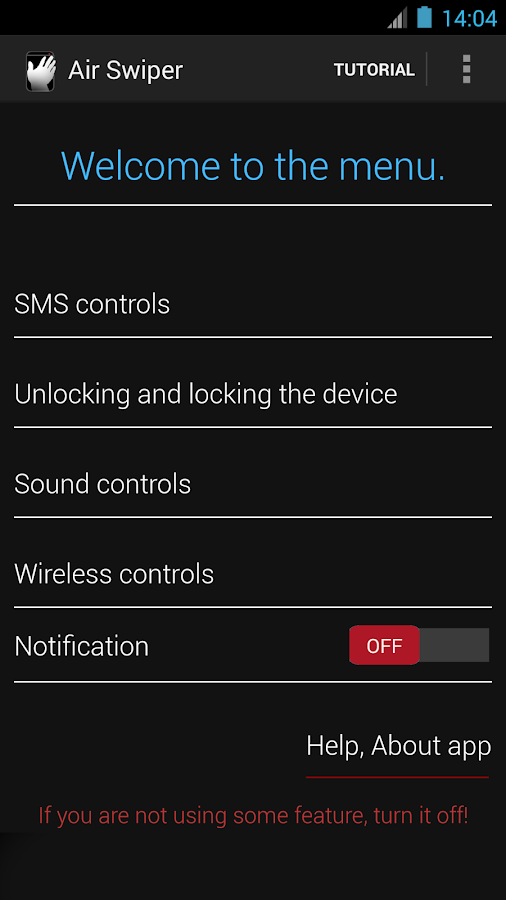


Hope that someone will find it useful! I find it useful when I've got dirty hands or I am in a car! Please, always pay attention to the traffic in the car!!
Comment, rate, tell me what you think about it I will really appreciate it.
Actual version: 3.0.3.


 Hi! Myself
0 comments:
Post a Comment
Thanks for ur valuable Comment.stay with us